For mining labour hire

One app for all of it.

Every

Onboarding, compliance, rosters and timesheets — read, sorted, chased and signed in one place, so nothing reaches the gate unfinished.

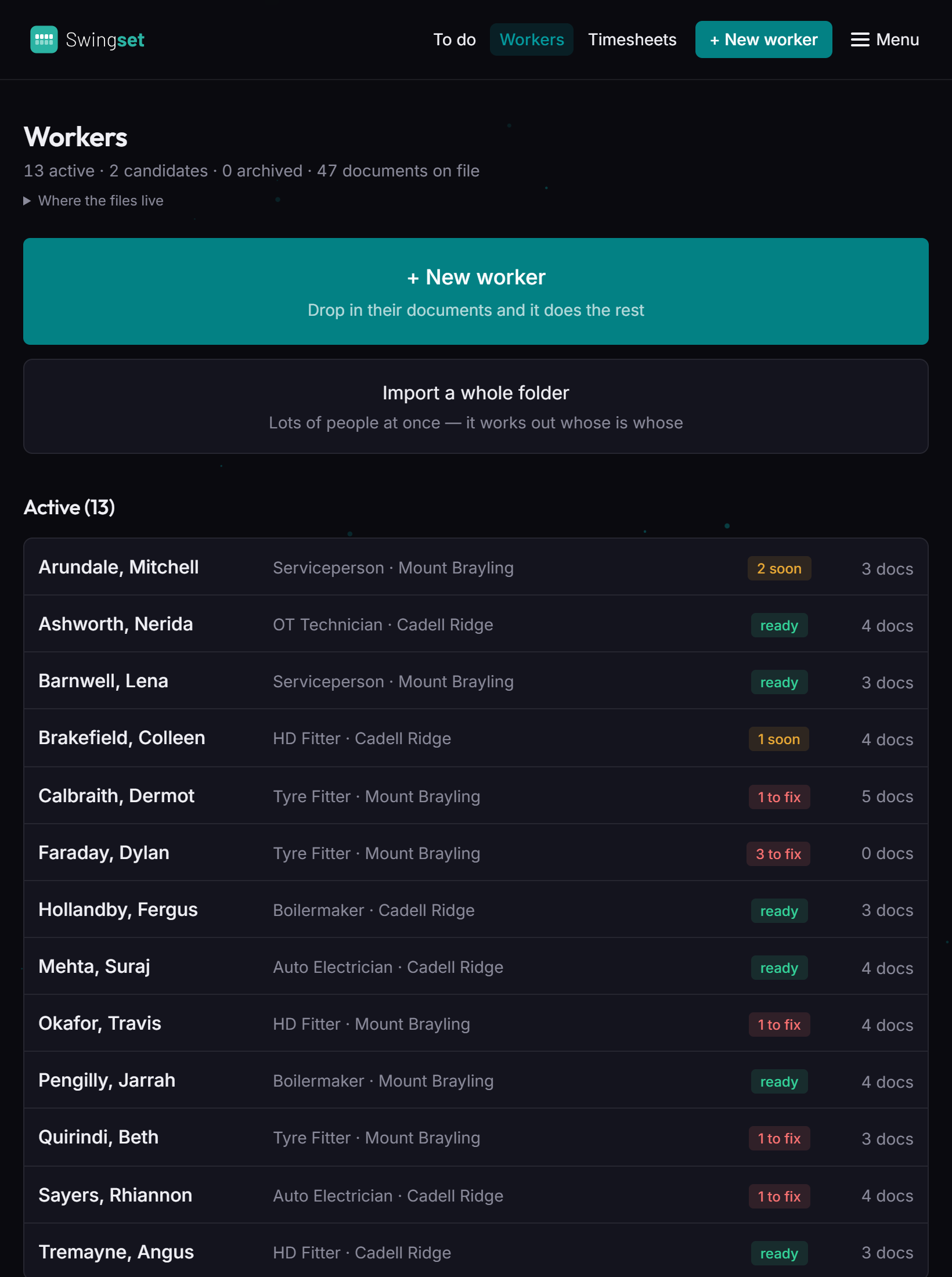
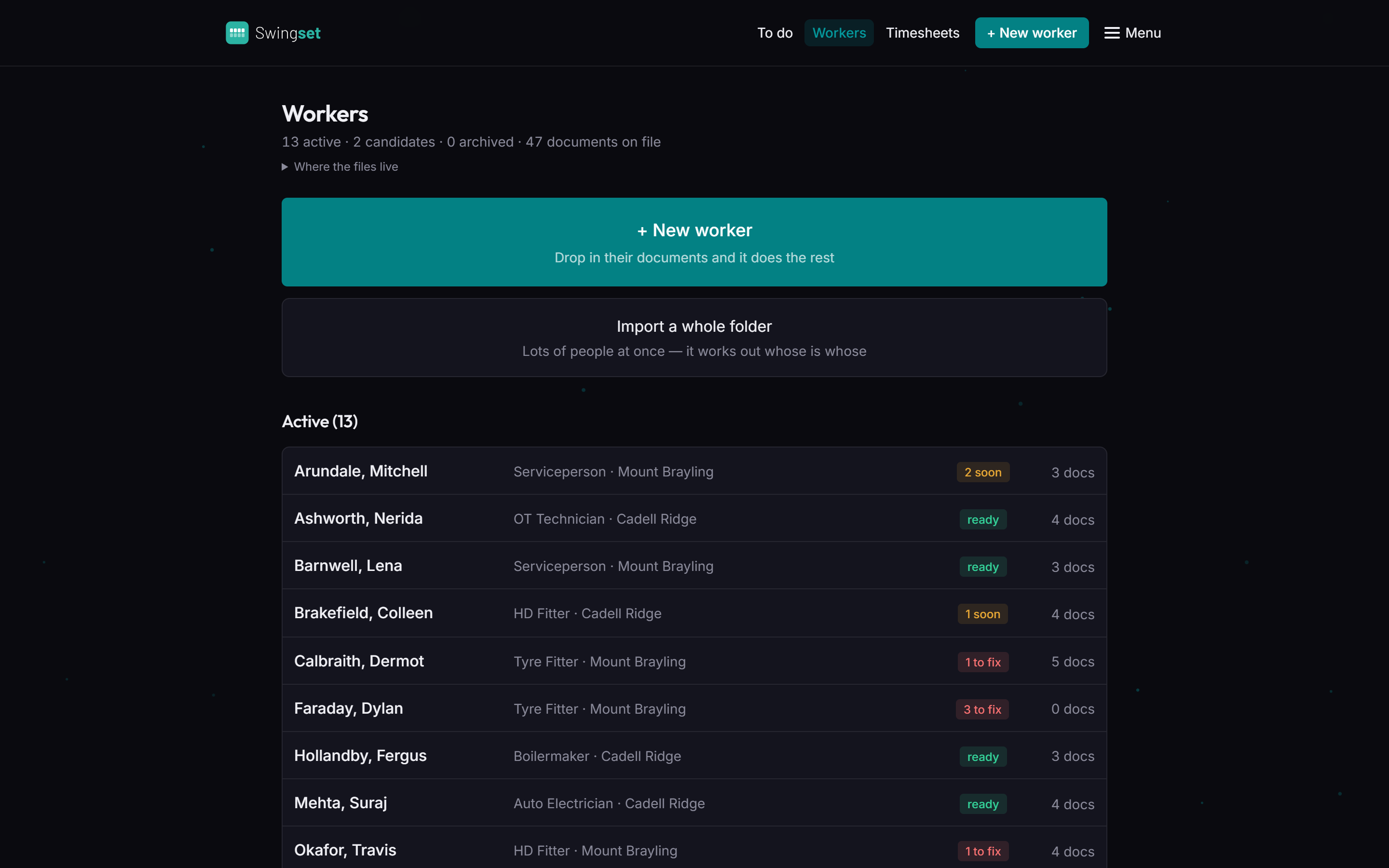
The crew: every worker, their role, site and whether they're ready to work.
Certificate of Currency — 14 days
Coal board medical — expired
10 of 15 ready to work today

Scattered across inboxes, spreadsheets, and someone's memory.

That's where most crews' paperwork lives today. A licence in an email from March. A medical on somebody's desktop. A roster called FINAL_v7. Swingset puts every document, date and signature for every worker in one live record — and does the chasing for you.

It knows before the gate does.

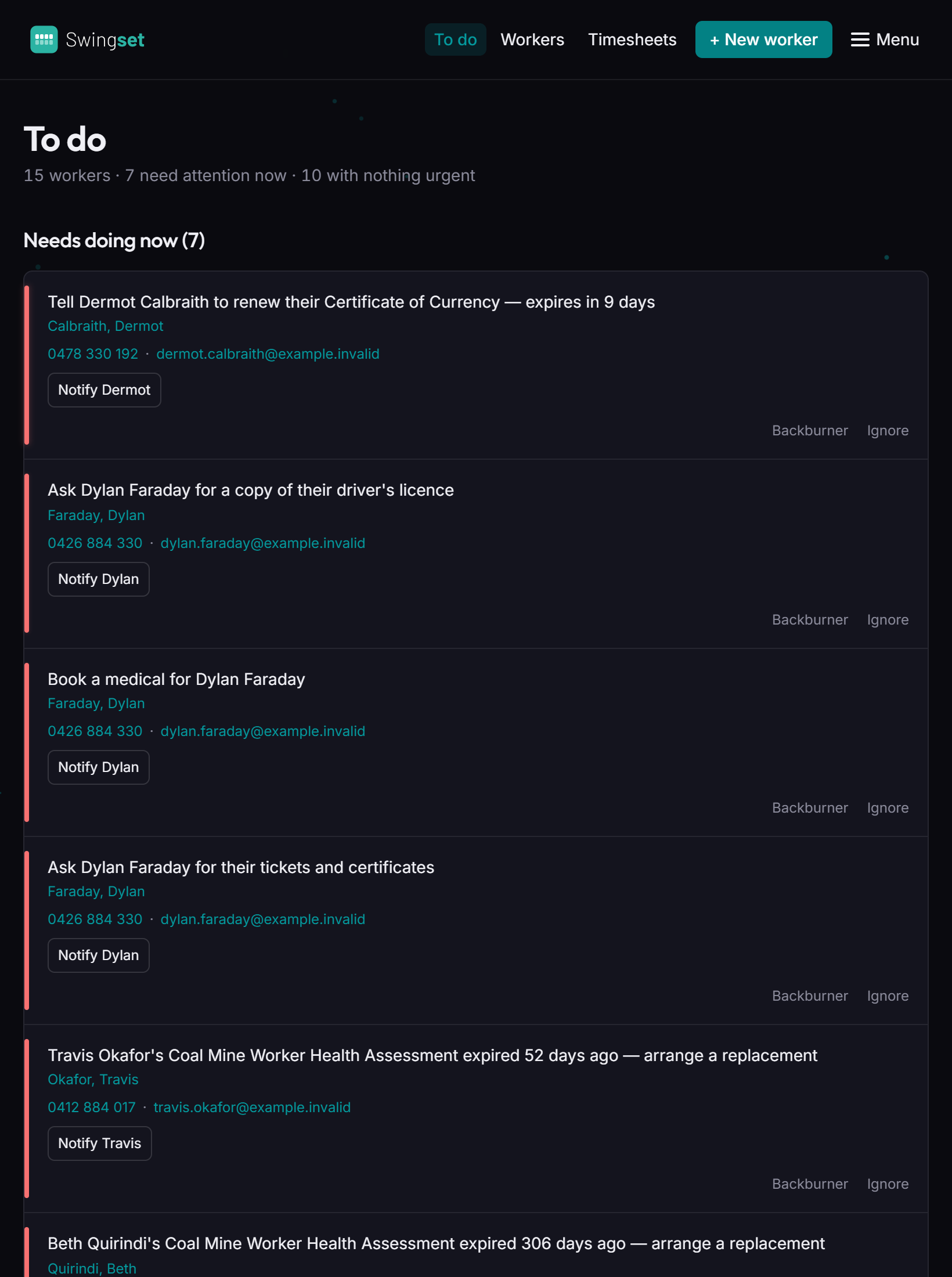
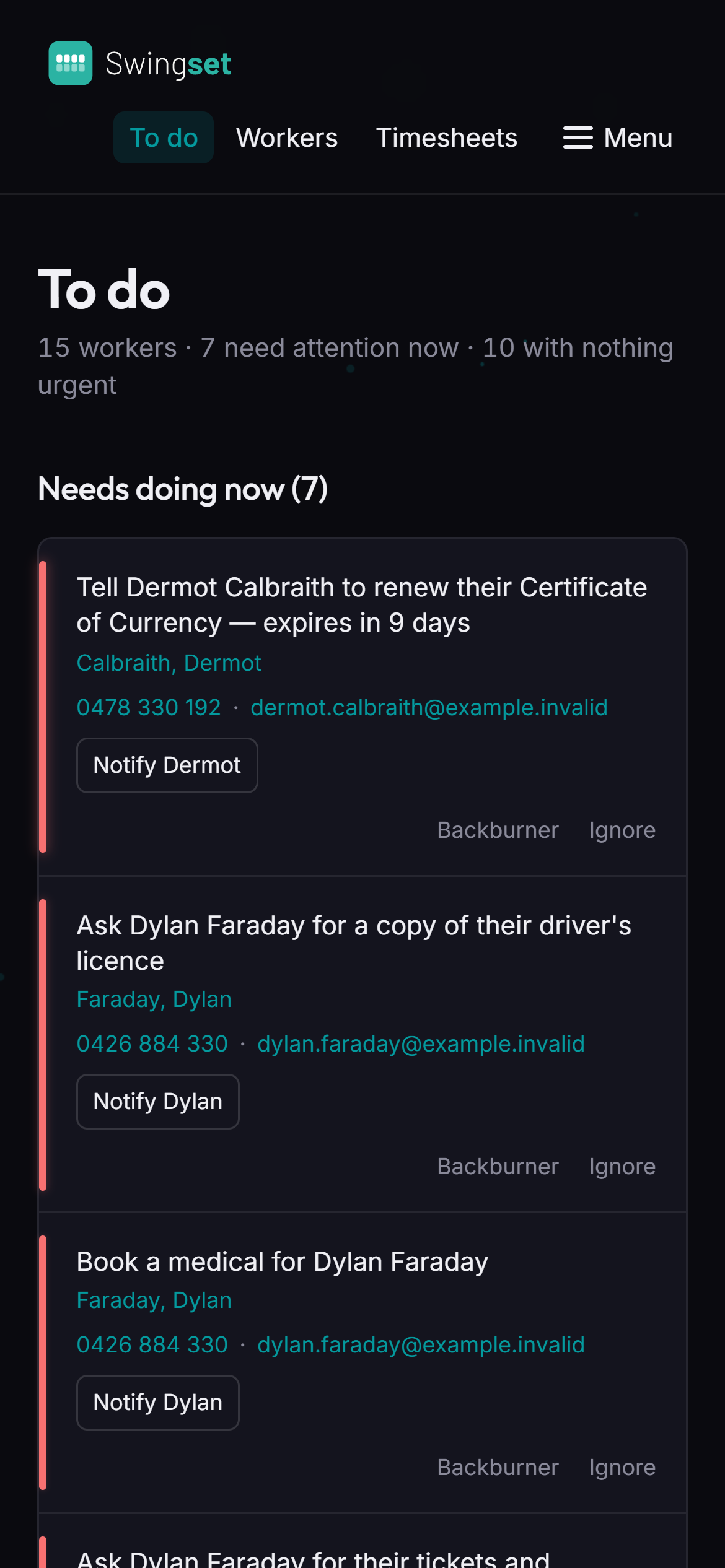
Every expiry, every missing ticket and every unsigned form, in the order it needs doing — before somebody gets turned away on a Monday morning.

  • One list for the whole crew. Urgent first, then what's coming up in the next 60 days.
  • Notify in one tap. The email to the worker is written for you — check it and press send.
  • Not now? Backburner it. It stays on the list and comes back when it matters.
The to-do list: every expiry and missing document, in the order it needs doing.

It reads every document.

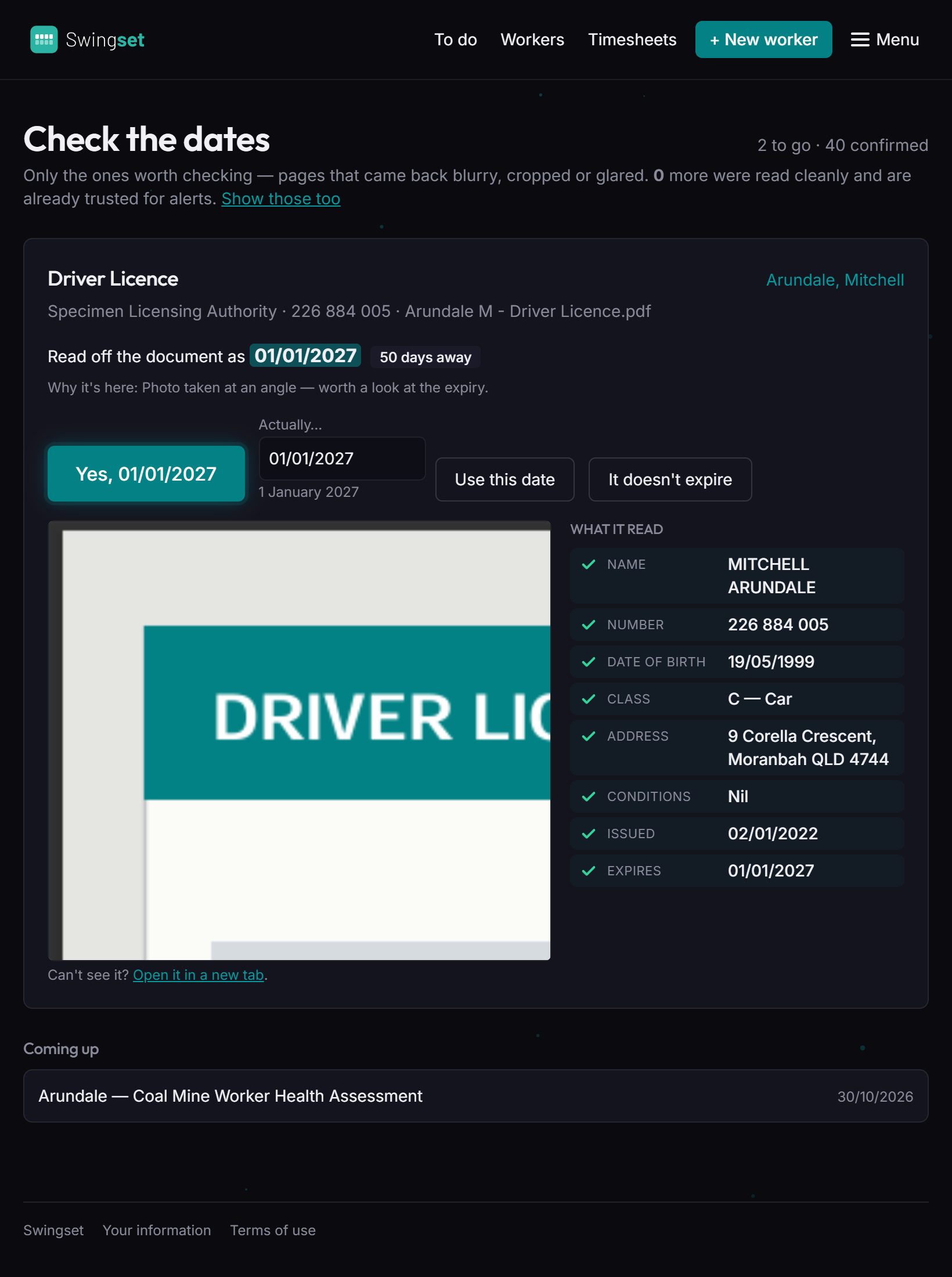
Licences, tickets, medicals, inductions, resumes. Upload a photo or a PDF and the details are pulled out for you — name, number, class, date of birth, expiry.

  • Dates you can trust. Anything hard to read is shown beside the document for a person to check.
  • Nothing changes until you tick it. The app proposes; somebody confirms.
  • Old copies are kept, not lost. A renewal replaces the old one and the history stays on file.
Checking the dates: a driver licence beside the details read from it.

Got a whole folder? Drop it in.

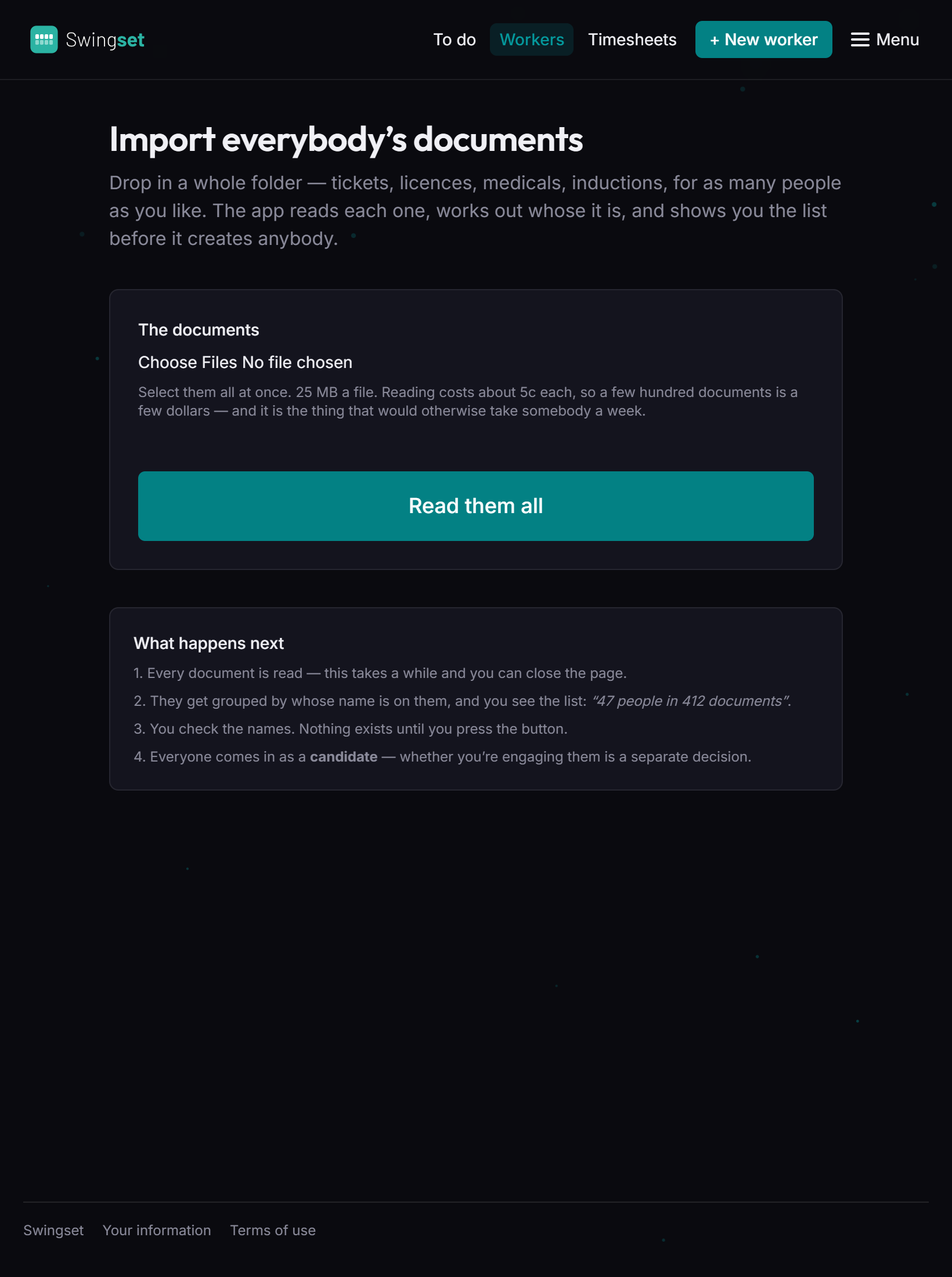
Bringing a new client's paperwork across used to be a week of uploads. Now it's one. Select every file at once — tickets, licences, medicals, inductions, for as many people as you like.

  • It works out whose each file is, from the name on the document, not the filename.
  • You see the list first — "47 people in 412 documents" — before anybody is created.
Importing everybody's documents from one folder.

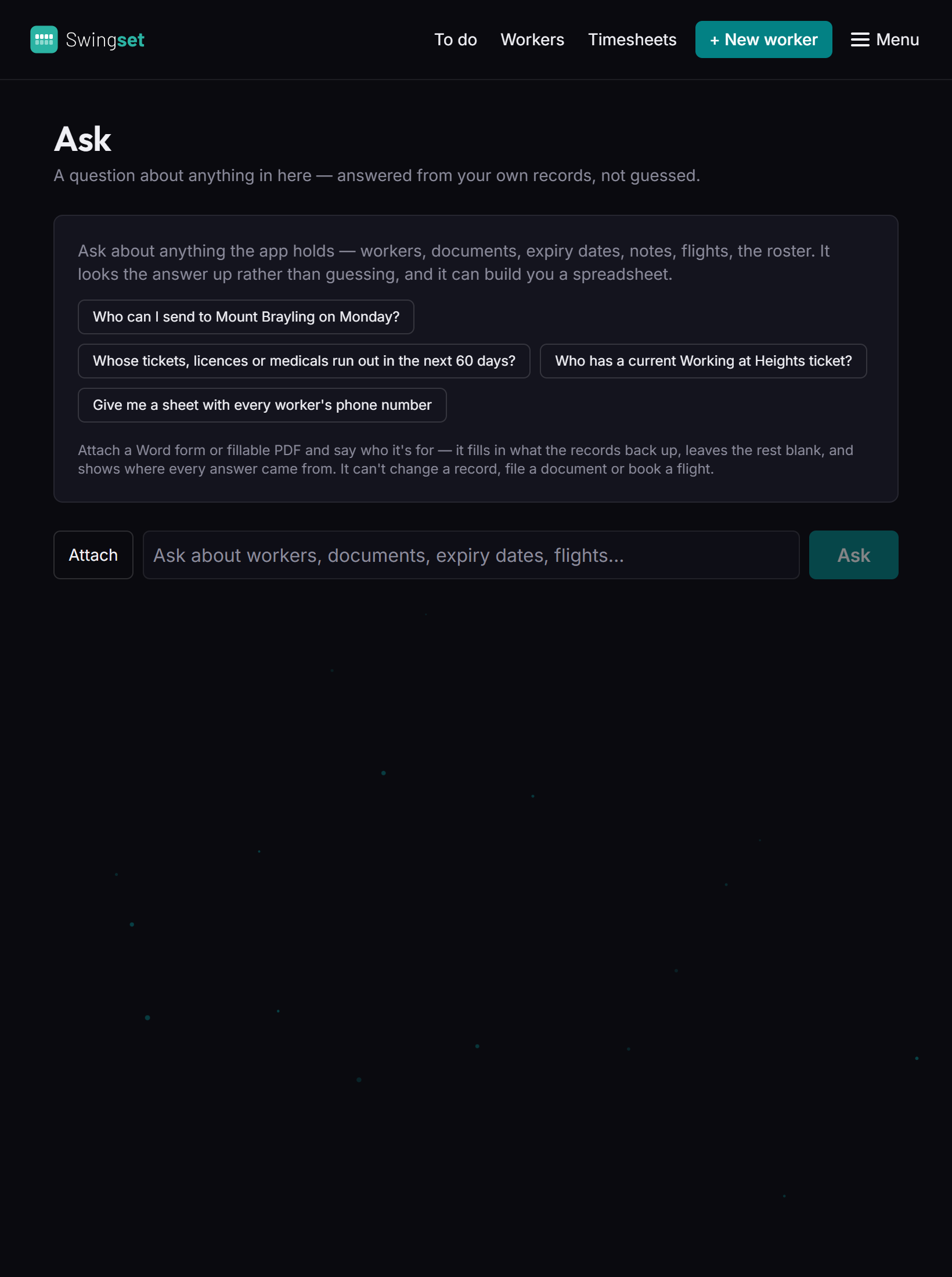
Ask it anything.

In plain English, answered straight from your own records — not guessed. "Who can I send to Mount Brayling on Monday?" "Whose tickets run out in the next 60 days?"

  • Need it as a spreadsheet? Done. Every worker's phone number, every expiry, ready to download.
  • Fills in your forms. Attach a client's form, say who it's for, and get a filled copy back with every value sourced.
  • Shows its working. Every answer lists what it checked, so it can be checked.
The Ask screen with suggested questions.

Renewals on autopilot.

Switch it on once. Each worker gets a heads-up 60, 30, 14 and 7 days before anything of theirs runs out — and you get a summary of who's been told.

  • You see exactly who it will email before you turn it on.
  • Announcements to everyone with an account, marked so nobody mistakes them for their own paperwork.
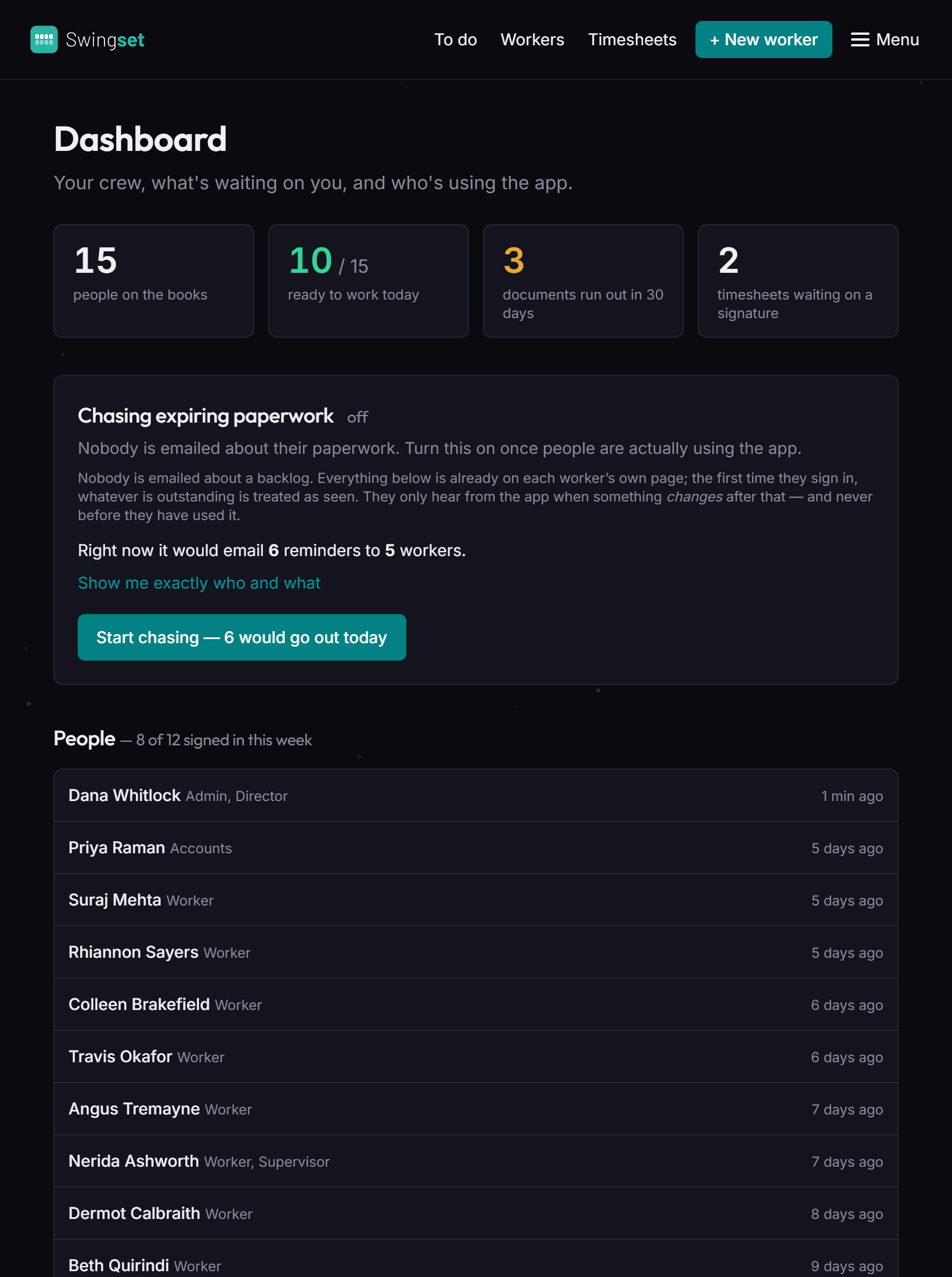
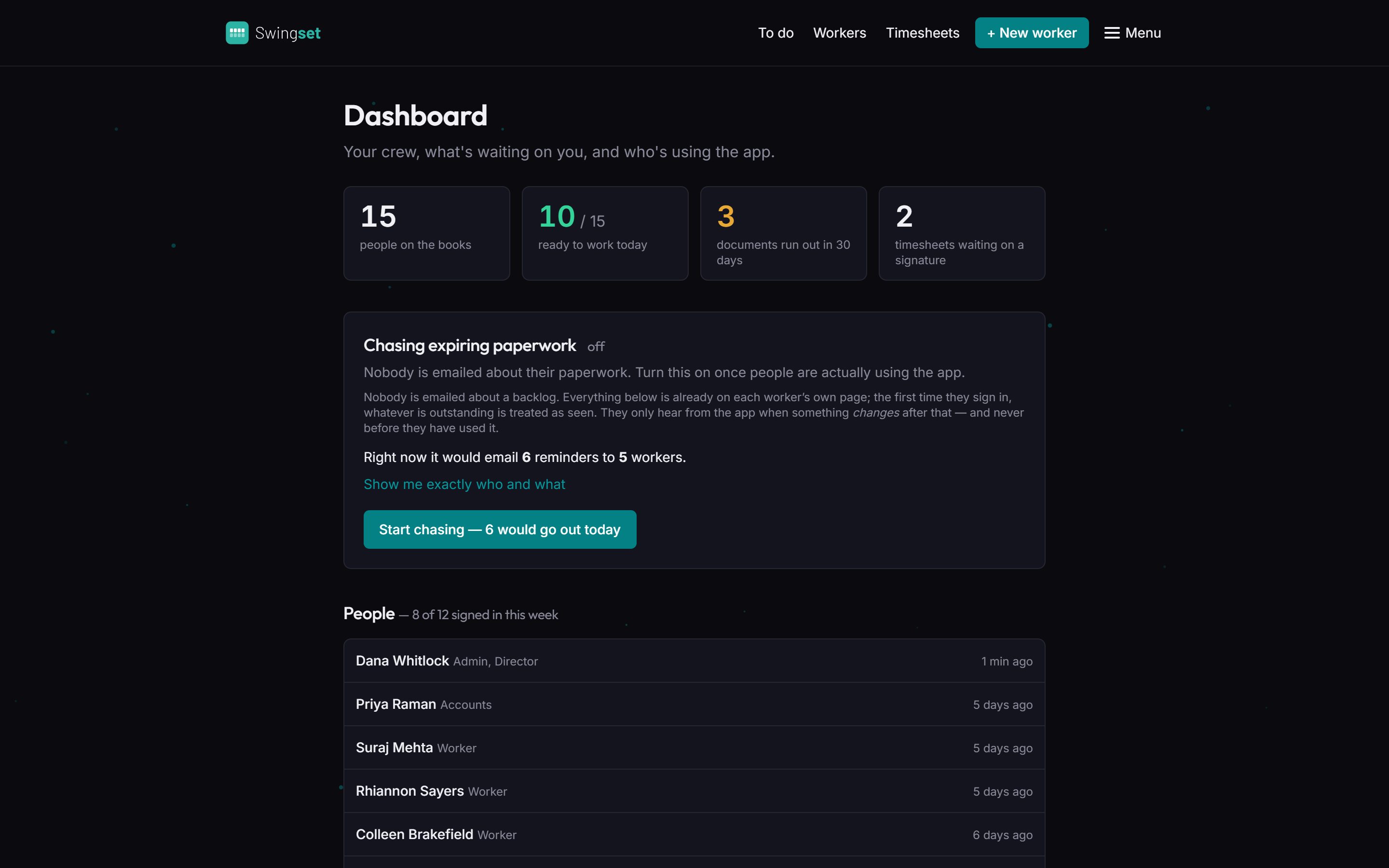
The dashboard: people on the books, ready to work, documents expiring, and the reminder switch.

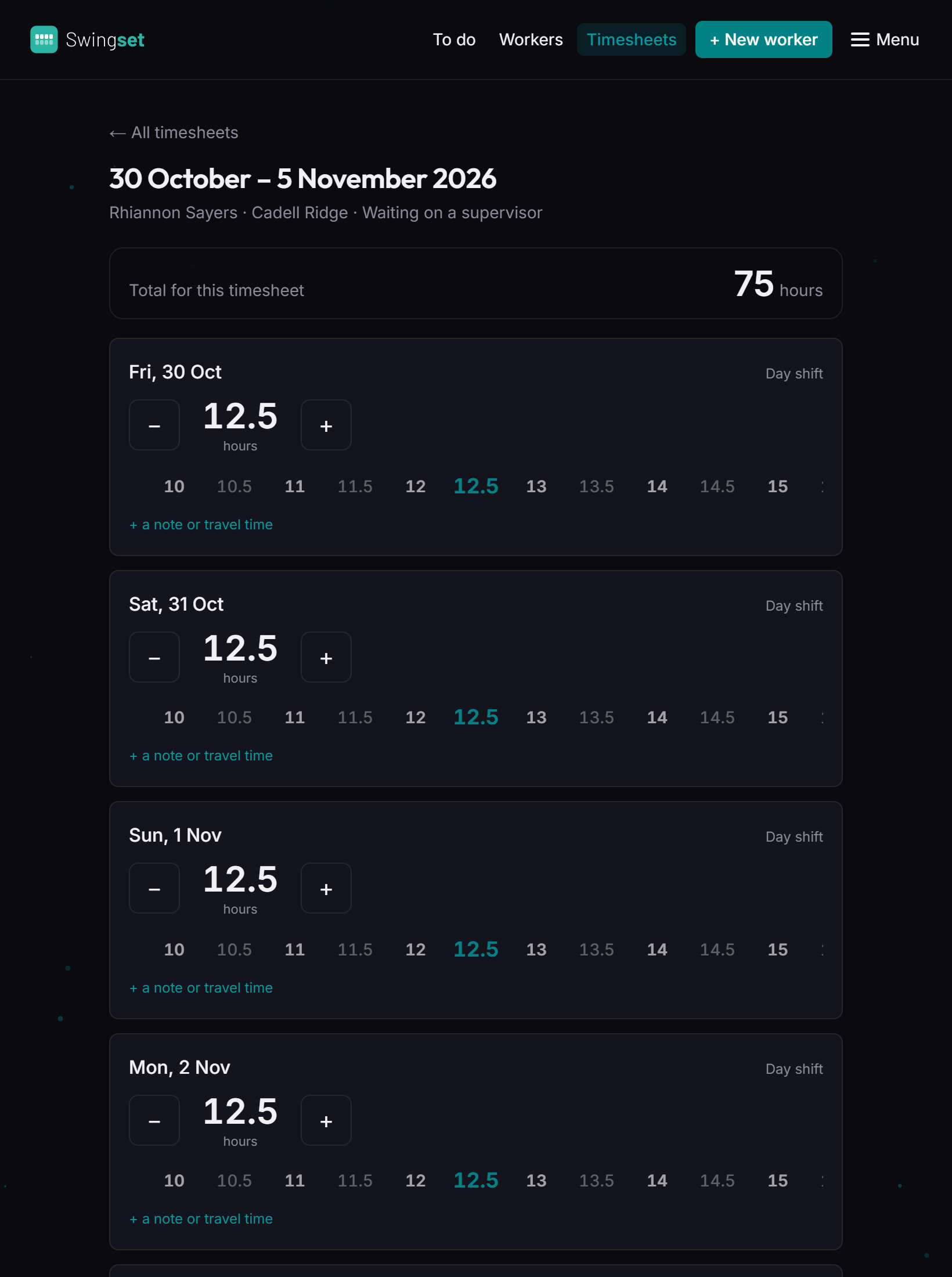
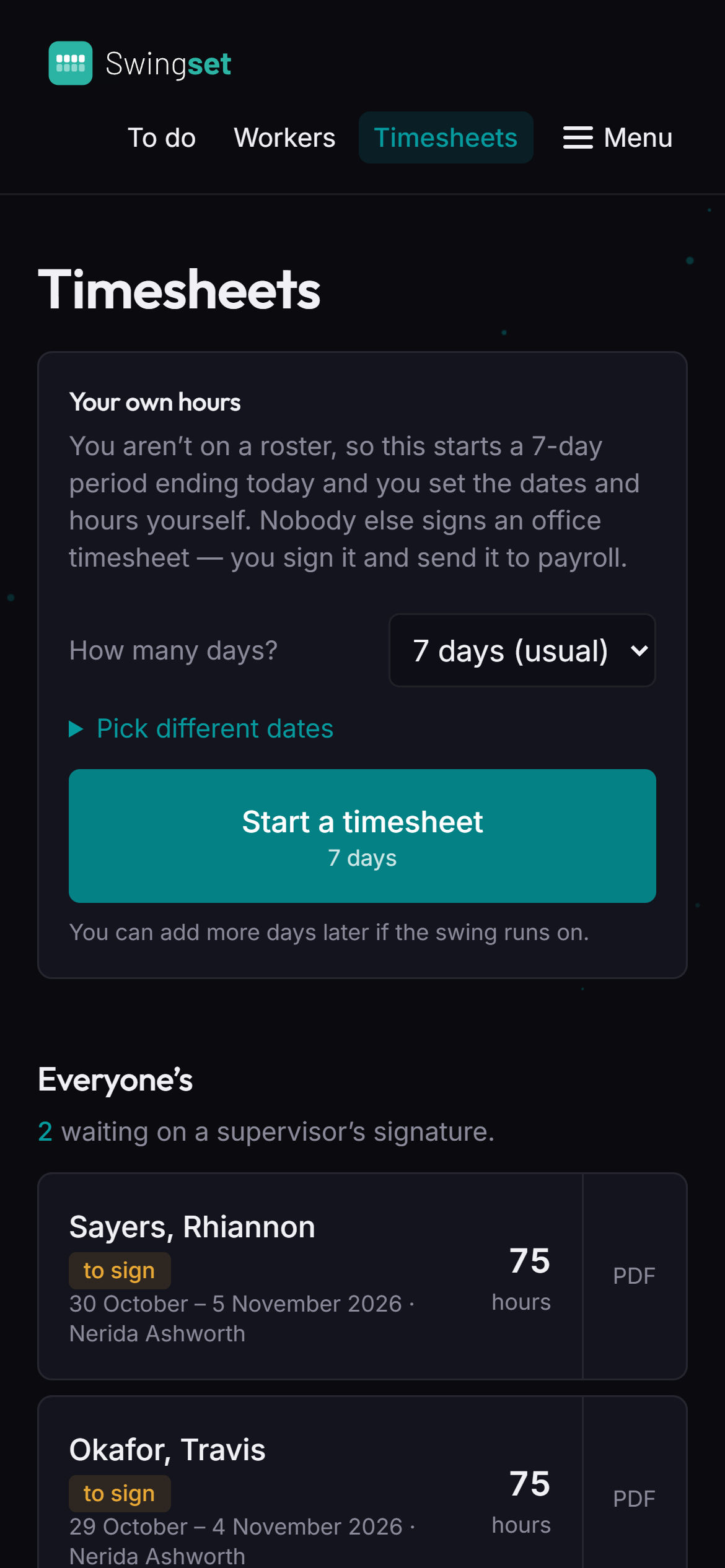
Timesheets, signed on site.

Filled in from the roster, so the hours are already there. The worker signs on their phone, the supervisor gets it on the spot, and the signed PDF goes straight to accounts.

  • One swing, one timesheet — seven days from the day the swing starts.
  • Wrong day? Send it back with a note: "you took Thursday off, remember?"
  • Everyone gets a copy — download, open or share the signed PDF.
A seven-day timesheet with hours for each day.
The timesheets screen on a phone.

Every worker. One live file.

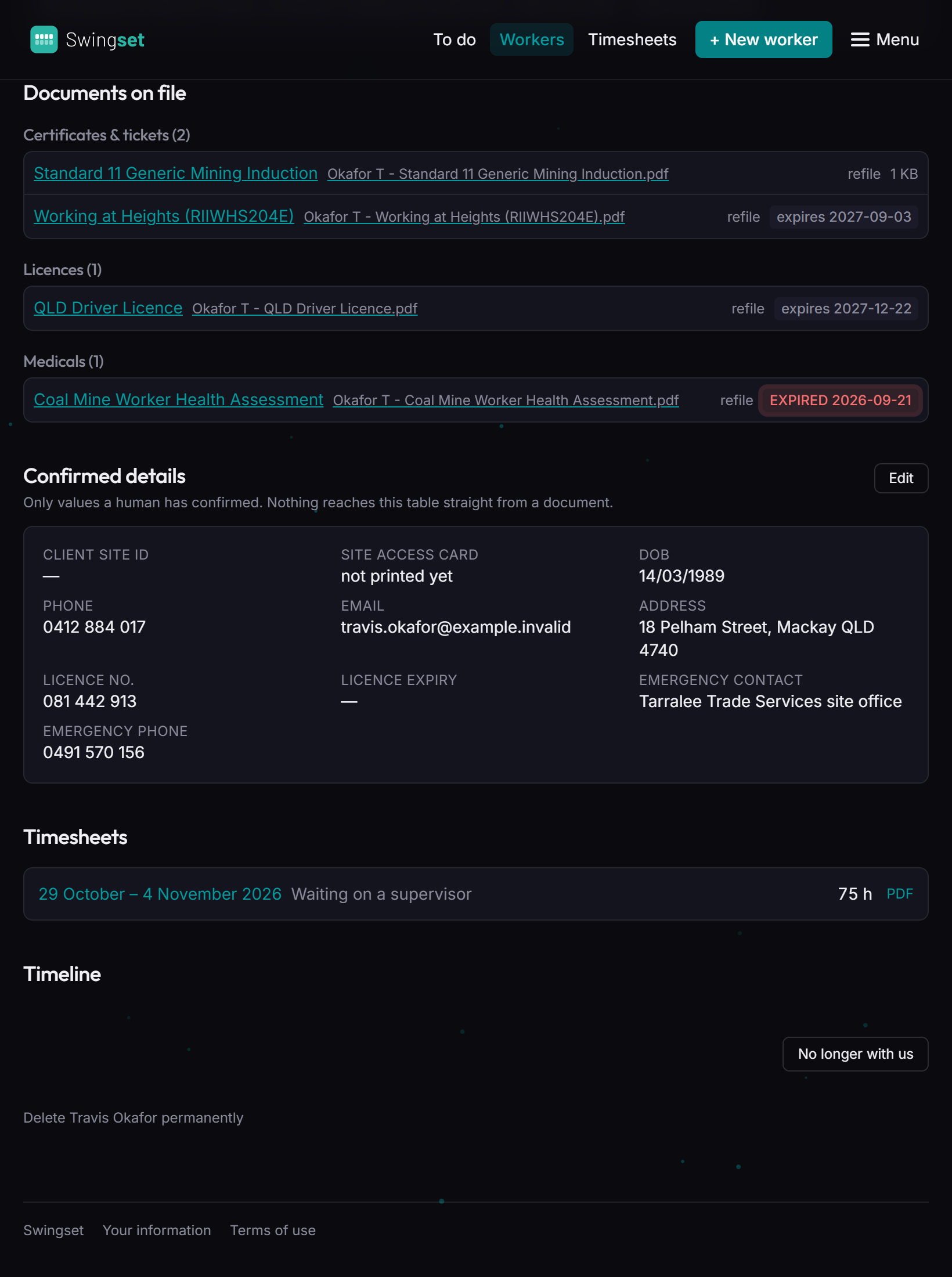
Documents on file, confirmed details, timesheets and a timeline of everything that's happened — open it on a phone at the gate and the PDF of their medical is one tap away.

  • Every change on the record — who did it, and when.
  • Resumes in your house style and submission emails, built from what's on file.
A worker's documents on file, sorted into certificates, licences and medicals.

Your whole operation, live, at a glance.

15people on the books
10ready to work today
3documents expiring in 30 days
2timesheets waiting on a signature
getswingset.com.au
The dashboard on a desktop screen.

And that's just the start.

Reads every document
Expiry alerts, before the gate
Ask anything, in plain English
Spreadsheets on demand
Fills in your forms
Resumes in your house style
Flight booking forms
Checks the roster for you
Timesheets, signed on site
Automatic reminders
Announcements to everyone
Workers send in their own updates
Roles and permissions
Every change on the record
Imports a whole folder at once
A live dashboard

All in one app.

Your sites.rules.forms.people.

Set up around how you work — not the other way round.

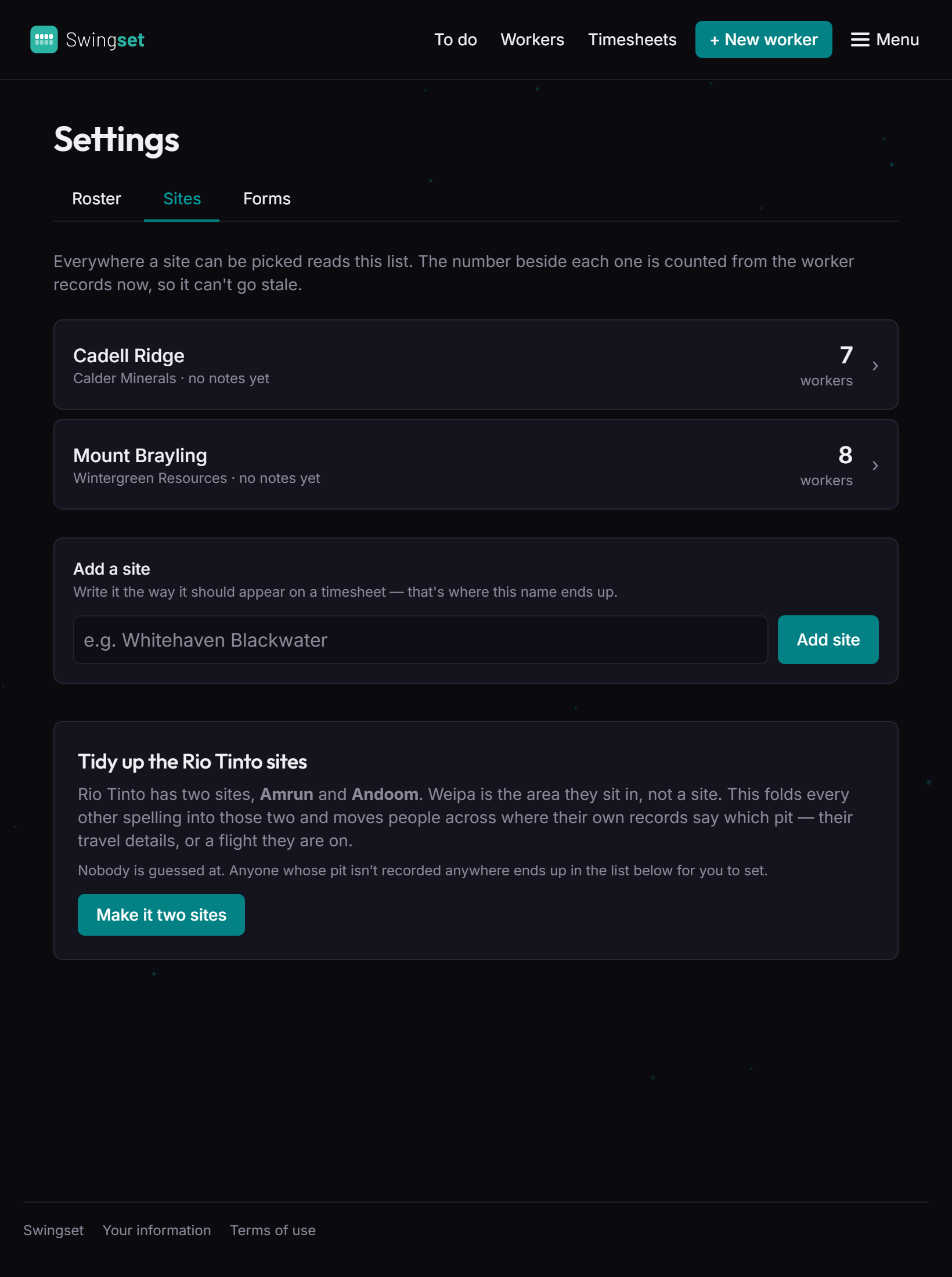
Mount BraylingCoal board medical required before mobilising
Cadell RidgeConfined Space ticket every 2 years
Your formsYour client's booking form, filled in as-is
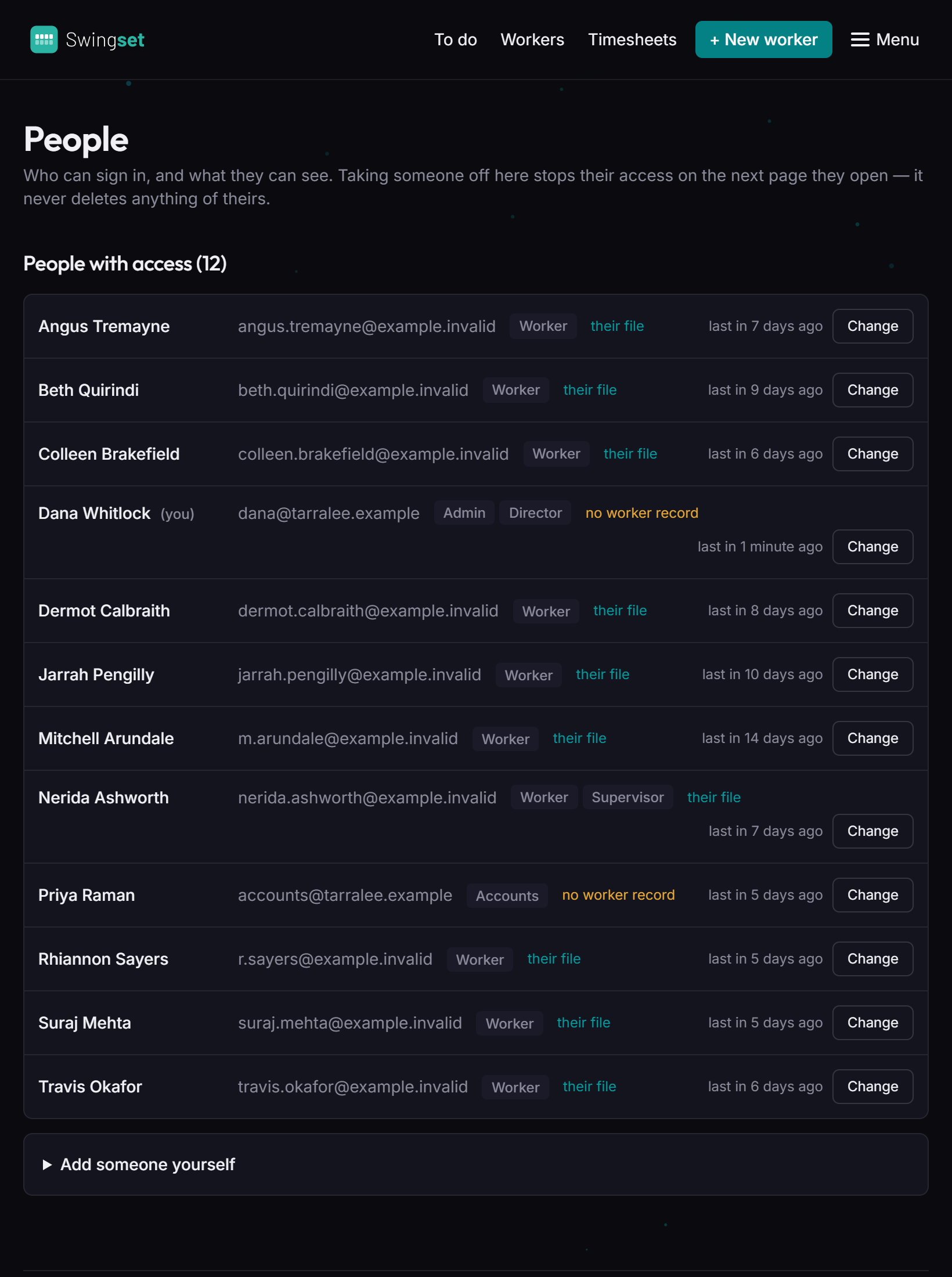
Your peopleAdmin · Director · Accounts · Supervisor · Worker
Renewal remindersSent for you, well before anything runs out
People with access, each with their roles.
Sites, each with its own rules.
The app on a phone.

Hassle-free for the crew.

No passwords, nothing to install. Works on any phone, right at the gate. Workers check their own details, send in a renewed ticket and sign their timesheet in a couple of taps.

getswingset.com.au
The workers list on a desktop screen.

Seriously powerful for the office.

Compliance, rosters, travel and timesheets — handled, and always up to date. Live on every device, so the office, the supervisor and the worker are all looking at the same thing.

Built carefully.

It holds medicals, dates of birth and licence numbers. It's built like it.

A person confirms

The app reads and proposes. Nothing it reads off a document becomes a fact until somebody ticks it.

Roles decide who sees what

Accounts see timesheets, not medicals. A worker sees their own file and nobody else's.

Every change recorded

Who changed what, and when — so "who said this was right?" always has an answer.

Client-ready by default

Resumes and submission emails put your worker forward, and keep health details off anything a client sees.
See it on your own crew.

Tell us a little about your business and we'll be in touch.

We'll come back to you within one business day.